Category: SEO Audit

  • What’s in a Good SEO Audit Report (With a Free Sample PDF)

    What’s in a Good SEO Audit Report (With a Free Sample PDF)

    Many business owners ask what they will get from an SEO audit before they pay for one. This SEO audit report sample shows the format and the detail of a real report, so you can judge both before you ask for an audit.
    SEO audit report sample diagram

    The sample uses made-up data for a fictional roofing company. It is not a real client’s report.

    Fill in the form below to download the SEO audit report sample as a PDF.

    Name

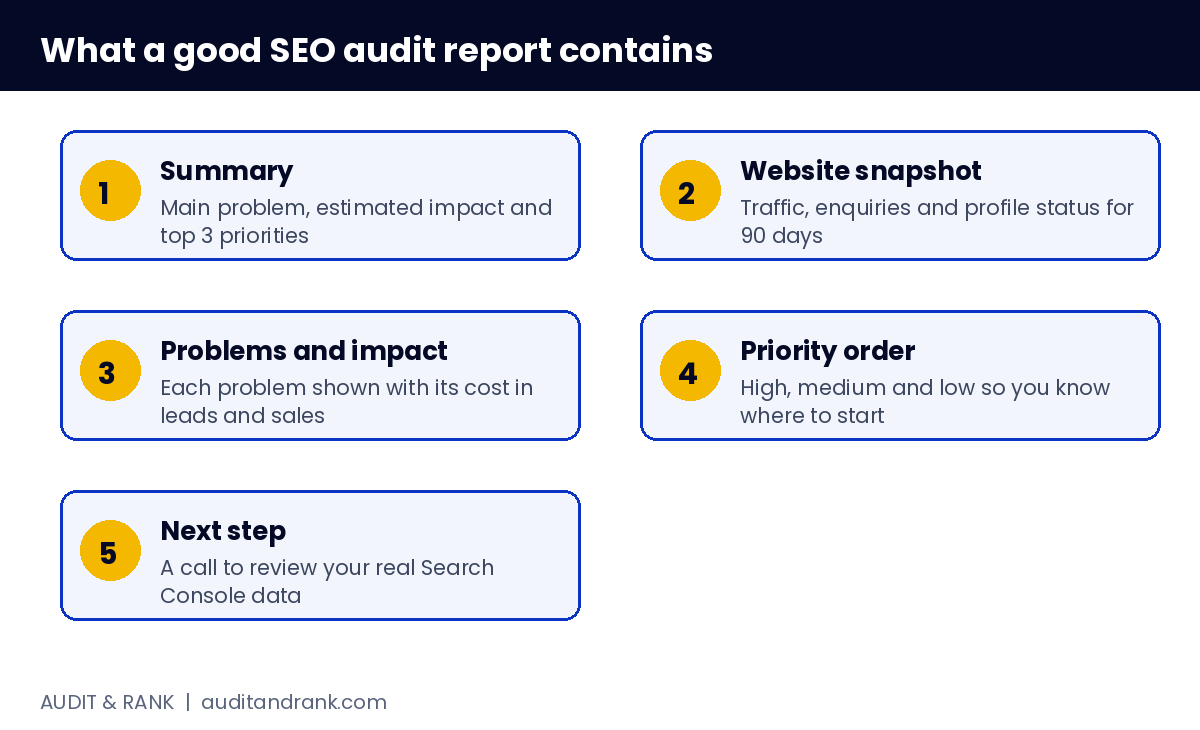
    What a good SEO audit report includes

    1. Summary. The main problem, the estimated impact and the top 3 priorities.
    2. Website snapshot. Traffic, enquiries and Google Business Profile status over the last 90 days.
    3. Problems and impact. Each problem with the business impact written in leads and sales, not only technical terms.
    4. Priority order. High, medium and low items, so you know where to start.
    5. Next step. A call or a plan to review your real data.

    What is in the SEO audit report sample

    • Website snapshot with traffic and enquiry numbers
    • Ten problems across titles, descriptions, headings, forms, mobile speed, local pages, reviews and schema
    • Each problem linked to its impact on enquiries
    • An estimate of the leads you could gain if the high-priority items are fixed

    What the SEO audit report sample does not show

    The sample does not show your real rankings, your competitors, or the exact steps to fix each issue. A full audit with your Search Console and Analytics data gives those details.

    How to read each section of the SEO audit report sample

    The SEO audit report sample is built so you can scan it in five minutes. Start with the summary and the website snapshot to understand the size of the problem. Then read the problems table from top to bottom. Each row answers one question: what is wrong, and what does it cost in enquiries? The priority column tells you which rows to discuss first.

    The impact column is the most important part. A report that lists technical issues without business impact is hard to act on, because nobody knows which issue is worth fixing first.
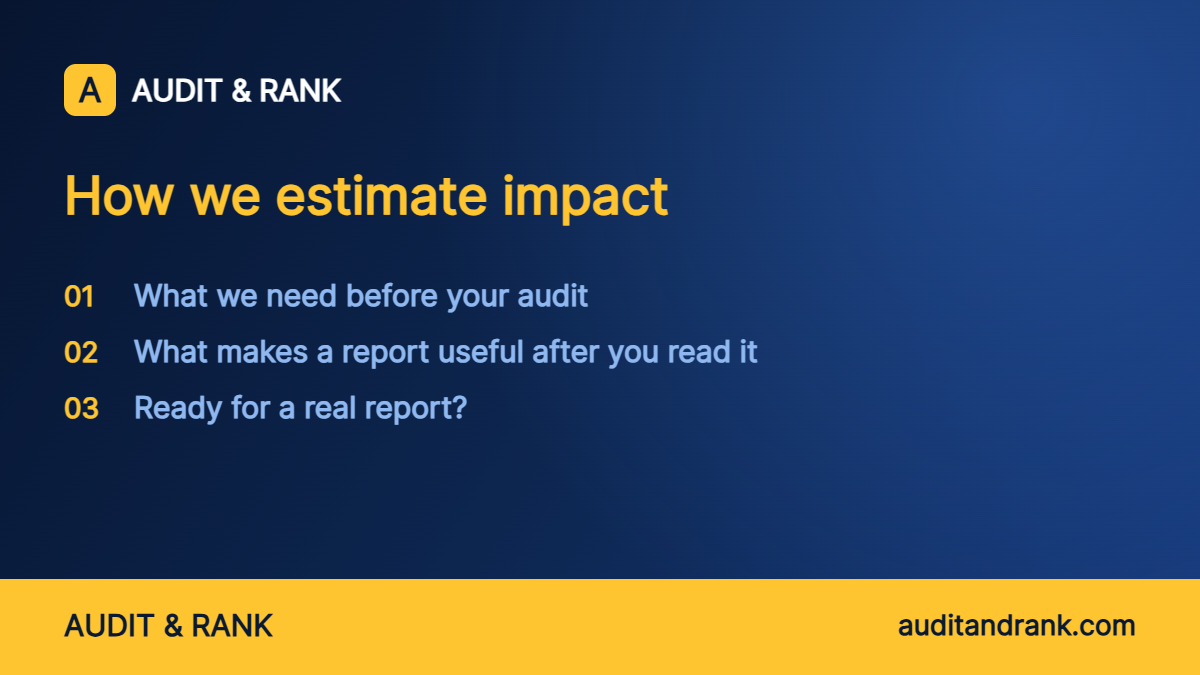
    SEO audit report sample: how the impact on enquiries is estimated

    How we estimate impact

    We do not invent a single number. The estimate uses three inputs from your own data: current traffic to the affected pages, the enquiry rate those pages already produce, and the search volume for the queries you are missing. We then show a range, because the result depends on competition and on how quickly the fixes are made.

    That is why the sample shows a range of 2 to 3 times more enquiries. Your real report will show your own numbers and a range that matches your market.

    What we need before your audit

    • Read-only access to Google Search Console for your property
    • Read-only access to Google Analytics for the same period
    • Access to your Google Business Profile insights, or a screenshot of the last 90 days
    • A list of your three most important services and the areas you serve

    We do not ask for passwords. Access is granted through Google’s own sharing settings (see how Search Console permissions work), and you can remove it at any time.

    What makes a report useful after you read it

    A useful report makes the next decision easy. After reading yours, you should know which three problems to fix this month, which problems can wait, and what result to expect if you fix the high-priority items. If a report leaves you with a long list and no order, ask for the priority column to be explained before you pay anyone to fix the issues.

    Ready for a real report?

    After the SEO audit report sample, the next step is a real one. Our SEO audit service starts with your own data. We check search intent, titles, headings, internal links, schema and mobile speed, then show you what is holding your rankings and leads back.

    If you only want to check your titles and descriptions first, try our free SERP checker.

    Why the SEO audit report sample uses a roofing company

    The sample uses a fictional roofing company because roofing shows many common problems in one place: a generic homepage title, missing service and city pages, slow images on mobile and few reviews on the pages that matter. The same problems appear in plumbing, electrical, HVAC and cleaning businesses. The format stays the same, but the numbers and services change for each client.

    What a report does not replace

    A report shows what to fix and what it costs. It does not do the work. Many owners want to fix the top three items themselves, and that is a good start. The report helps you decide which items to fix first and which ones need a professional. For technical changes such as schema, redirects or site speed, a developer or an experienced WordPress specialist usually saves time.

    FAQ

    What is the difference between an SEO audit and an SEO report?

    An audit is the full check. A report is the written result of that check. Good reports show problems with impact, not a long list of technical codes.

    How long does an SEO audit take?

    Usually 2 to 4 working days, depending on the site size and how much data is connected.

    Is the SEO audit report sample real?

    No. The sample uses made-up data to show the format. Your report will use your own numbers.

    Can I download the SEO audit report sample?

    Yes. Fill in the short form near the top of this page to get the sample PDF.
  • Website Traffic Loss Audit: 7 Steps to Find Why Your Traffic Dropped

    Website Traffic Loss Audit: 7 Steps to Find Why Your Traffic Dropped

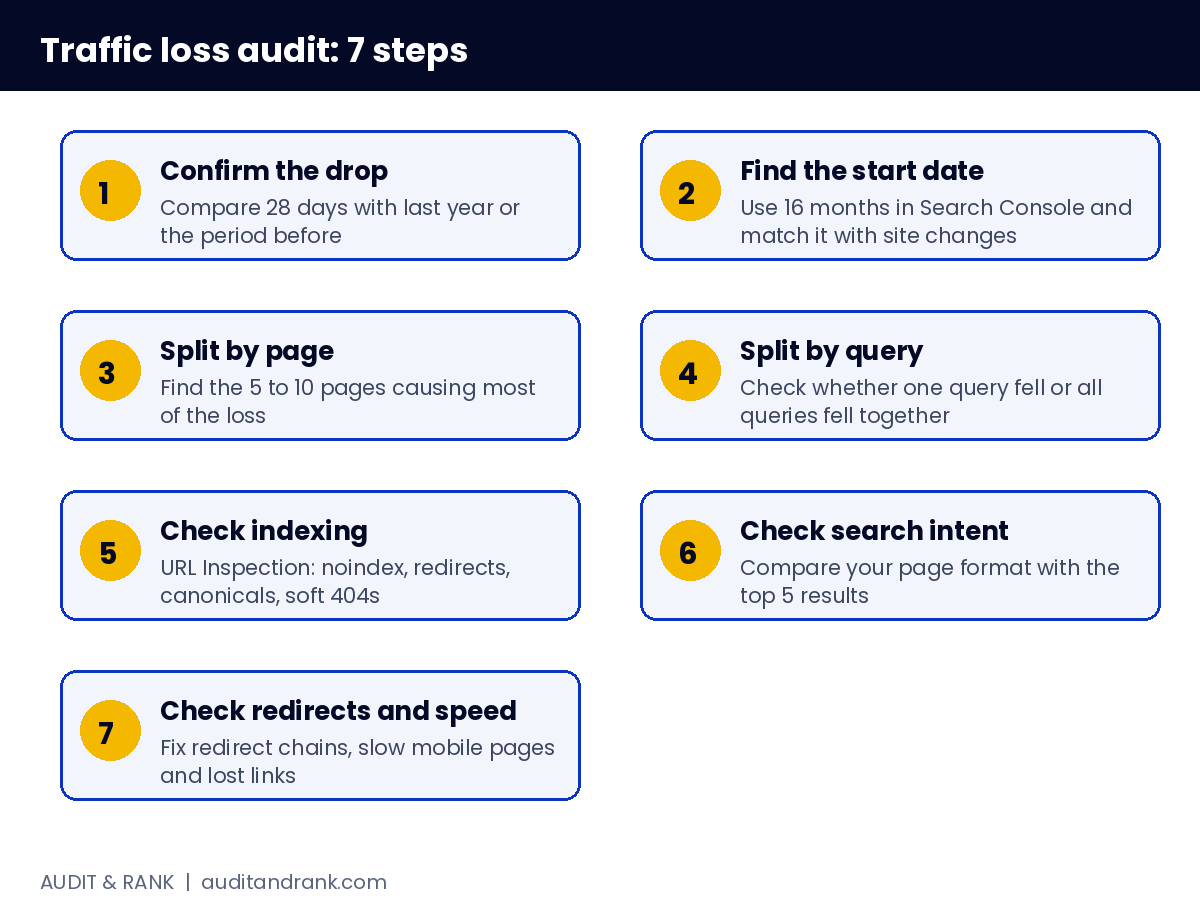
    If your organic traffic dropped and you do not know why, the answer is rarely one thing. A website traffic loss audit breaks the drop down by page, query and date, so you can see what changed and what to fix first.

    Website Traffic loss

    This guide covers the 7 steps we follow in a website traffic loss audit when a client’s traffic falls. You can run most of them yourself in Google Search Console and Google Analytics.

    Step 1: Confirm the drop is real

    Compare the last 28 days with the same period last year, or with the 28 days before. Seasonal businesses will always look different in some months. Check that Analytics has not changed its tracking code or consent setup, because a tag change can make traffic look lower than it is.

    Step 2: Find the start date

    Open the Performance report in Search Console and set the date range to 16 months. Look for the day the line bent. The date is the most useful clue you have. Compare it with your site changes, plugin updates, theme changes and Google core updates.

    Step 3: Split the drop by page

    Export pages with clicks, impressions and position for the period before and after the drop. Sort by the biggest loss. In most sites, 5 to 10 pages cause most of the drop. Fix those first.

    Step 4: Split the drop by query

    For each important page, check which queries lost clicks. If one query dropped and others held steady, the page is still relevant and the problem is probably ranking position. If all queries dropped together, check indexing and crawl issues first.

    Step 5: Check indexing and crawl errors

    Step 5: Check indexing and crawl errors

    Use URL Inspection on the top lost pages. Look for “noindex”, “Crawled, currently not indexed”, redirects, soft 404s and canonical tags that point somewhere else. A single bad robots.txt rule or a plugin that adds noindex to a whole folder can cut traffic in days.

    Step 6: Check search intent

    Search the lost query on Google. Read the top 5 results. Are they guides, service pages, tools or product pages? If your page is a blog post and Google now shows service pages, your page no longer matches what the searcher wants. Rewrite the H1, the first paragraph and the headings to match the winning format.

    Step 7: Check redirects, speed and links

    Broken redirect chains, slow mobile pages and lost backlinks all reduce rankings. Run a crawl with a free tool and check the top lost pages. Check Google Business Profile links too, because a wrong or missing website link weakens local trust signals.

    Common causes found in a website traffic loss audit

    Most drops fall into one of six groups. Knowing the group helps you choose the right fix.

    • Google updates. Core and spam updates can lower pages that are thin, repetitive or weak on expertise. Check your start date against published update dates.
    • Seasonality. Some services are searched less in certain months. Compare with the same month last year before you act.
    • Search results changing. AI answers and larger Map Packs can reduce clicks on informational queries, even when your position stays the same. Check whether your average position held while clicks fell.
    • Site changes. A new theme, a migration, changed URLs or a plugin update can add noindex tags, break internal links or create redirect chains.
    • Cannibalisation. Two of your pages targeting the same query split the signals, and Google may show the weaker one.
    • Lost links. A deleted page or a changed domain can remove links that brought both visitors and ranking strength.

    How to read Search Console in a website traffic loss audit

    Three checks prevent most wrong conclusions:

    1. Use the same length of period. Comparing 28 days with 90 days hides the real change.
    2. Watch position and clicks together. If position is stable but clicks fell, the cause is probably the search result itself, such as a new feature above your link or a weaker title and description.
    3. Filter by page, then by query. Start with the page that lost the most, then check the queries inside it. Do not start with the whole site.

    Remember that Search Console hides some queries for privacy. Totals can be higher than the sum of the rows you can see, so use trends rather than single numbers.

    A 30-day recovery plan after a website traffic loss audit

    Week 1: Confirm the drop, find the start date and list the top 10 lost pages. Check indexing for each one.

    Week 2: Fix technical blockers first: noindex tags, broken redirects, canonical errors and robots rules. Request indexing for fixed pages.

    Week 3: Rewrite the title, H1 and first paragraph of the top 3 pages so they match the search intent of the lost queries. Add a short section that answers the most common follow-up question.

    Week 4: Add internal links from your strongest pages to the recovered ones, check that each page has a clear next step, and record the baseline so you can measure progress every two weeks.

    Mistakes that make a drop worse

    • Publishing many new pages in a panic without fixing the old ones
    • Changing the URL of a page that still has links and traffic
    • Buying links to recover quickly, which can trigger a manual action
    • Rewriting every page at once, so you cannot tell which change helped

    What a professional website traffic loss audit adds

    A manual check finds the main causes. A full website traffic loss audit adds page-level data, competitor comparison for each lost query, a priority list and an estimate of the leads and sales lost because of each problem. That last part is what turns a list of issues into a clear plan.

    If you want us to run a website traffic loss audit for your site, start with our SEO audit service. If you are not sure whether your drop is technical or content related, you can check your meta titles and descriptions with our free SERP checker first.

    Website traffic loss audit examples: the same drop, three different causes

    Example 1: a clean drop on one page. A plumbing blog post lost 60% of its clicks in one week. Its position stayed the same, but a new map block now sits above the results. The fix was not technical. The team added a clear answer near the top and linked to the service page, and clicks recovered over the next month.

    Example 2: a site migration. A roofing site moved to a new theme and changed its service URLs without redirects. Traffic fell 40% overnight. Redirects from the old URLs restored most of the traffic within two weeks, and the remaining gap was closed by rewriting the titles of the new pages.

    Example 3: a slow decline over six months. An HVAC site published 30 short posts on similar topics. Google began to show one of them and then stopped showing the others. Merging the weak posts into one guide and removing the duplicates reversed the trend.

    The pattern is the same in each case: find the page, find the date, find the change. The cause becomes clear once the data is split this way.

    FAQ

    How long does a website traffic loss audit take?

    Most audits take 2 to 4 working days, depending on how many pages and queries need checking.

    Can traffic recover after a drop?

    Often yes, if the cause is technical or a clear intent mismatch. Recovery is slower when the drop came from a Google update that reduced quality signals across the site.

    Do I need paid tools?

    No. Search Console and Analytics are enough for the first 6 steps of a website traffic loss audit. Paid tools help with competitor data and crawling large sites.

Chat with us